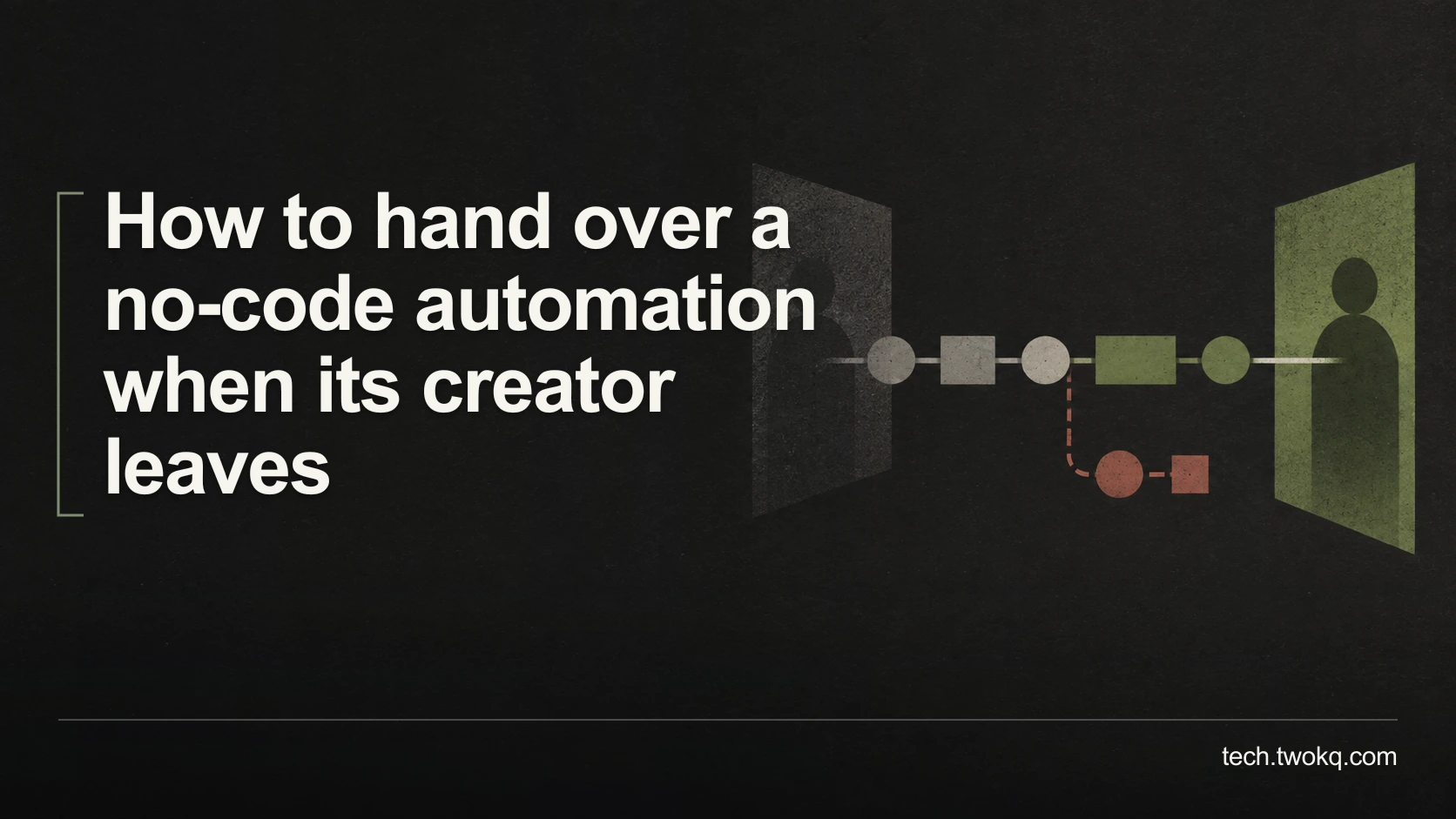
Hand over a no-code automation by checking ownership, connected accounts, triggers, alerts and recovery, then rehearse the workflow with safe dummy inputs.
Direct answer: Transfer the authority to operate the workflow, not just its diagram: check the automation owner, connected accounts, trigger source, destination, failure alerts and recovery process. Rehearse a safe example with the new owner and verify both the result and how they would handle an exception before removing the creator's routine access. If the current plan cannot support a safe transfer or the workflow depends on a personal account, arrange an authorised replacement or a manual fallback rather than keeping the old login alive indefinitely.
An automation can look shared while still relying on credentials only its creator controls. The next person might see the steps but be unable to reconnect an expired account, inspect a failure or stop an incorrect action.
The handover is complete only when someone else can operate the process responsibly. This article takes the ownership question in the small-team technology retrospective and applies it to a running no-code workflow, without assuming that you are a developer or administrator.
Applies to: authorised handover of business automations. Zapier is used for documented examples, with plan limitations stated; the general method is not a claim that every platform has identical controls.
Use the automation ownership rehearsal
The automation ownership rehearsal is an editorial method in which the incoming owner demonstrates the ordinary run, an exception and the safe stop procedure using non-sensitive test material. The creator explains dependencies, but should not quietly perform every action on the new owner's behalf.
Before changing ownership, confirm who can authorise access to the automation and every connected service. Preserve the current configuration through a supported export, copy or documented record, and retain the information needed to restore the previous working arrangement. Do not include secrets in the handover document.
Identify a safe test destination and a manual process for work that arrives during the change. A test must not send client messages, create live invoices or alter real records. If the platform cannot isolate those effects, agree a controlled maintenance approach with the responsible owner or get qualified help.
My recommendation is to postpone non-essential redesign until after the ownership rehearsal. Combining a transfer with new logic makes failures harder to diagnose. A redesign may be unavoidable when the old account or connector cannot be retained lawfully or technically, but then treat it as a migration with separate validation, not a simple handover.
Map the authority behind each step
For each workflow, record the trigger, transformation, destination and account used at every stage. A trigger is the event that starts the automation, such as an approved form submission. A connection is the permission arrangement that lets the automation access another service.
The distinction matters in practice. Zapier documents separate ownership controls for workflows and app connections. On its Team and Enterprise plans, transferring a connection changes its Zapier owner but leaves the connected account the same. It does not turn a departing person's external account into a different business identity. Zapier documentation on app connections.
Use a compact record:
| Part | Evidence the incoming owner needs |
|---|---|
| Trigger | Source, eligibility rule, schedule or event, and a safe test input |
| Connection | Upstream service, account owner, permitted scope and reconnection responsibility |
| Processing | Fields transformed, filters applied and assumptions about input |
| Destination | Exact authorised location and how duplicate output is recognised |
| Operations | Run history, failure notification, stop procedure and manual fallback |
Do not confuse editing access with ownership or connection authority. Zapier's asset documentation distinguishes sharing, duplication and changing a workflow's owner. Verify the current options for your account before choosing a route. Zapier guidance on managing assets.
Resolve hidden dependencies before the departure date
Check whether source forms, tables, files and destinations have their own owners. An automation platform can contain several linked assets, and moving one does not necessarily move the rest. For example, Zapier says transferring a table does not automatically transfer linked workflows or forms. It also states that table-ownership transfers cannot be reversed. Before confirming a transfer, verify the recipient's name and email address and their authority to own the table; do not treat your configuration backup as an undo control for ownership. Zapier guidance on table ownership.
Next, inspect notifications. If failure messages go only to the creator's inbox, the workflow can break without reaching the person now responsible. Assign an authorised destination that will be monitored, and verify it with a supported test or a safe simulated failure.
Record subscription and usage dependencies without buying anything automatically. The new owner needs to know which account pays, which plan features the workflow requires and where to check limits. Confirm current terms for the actual services rather than assuming a free account can edit and run the same configuration.
Check the effects of pausing, copying and resuming before using them. Pending events, delayed actions and retries can behave differently across platforms and connectors. If the documentation does not establish what happens, ask support and use the manual fallback. Do not enable both an old workflow and its copy against live input merely to see which one works.
Rehearse the ordinary run and the exception
Start with one labelled dummy input whose expected result is written down. The new owner should identify the trigger, observe the run, find the output and compare every important field. Check the destination itself, not only a green success indicator inside the automation service.
Then use an isolated example with a missing or invalid field that the workflow is expected to handle. The result should match the intended behaviour: reject, hold for review or follow a documented exception path. Do not create an actual destructive failure by revoking a live connection for the demonstration.
Ask the incoming owner to find the run history and identify what happened. If they cannot distinguish a completed action from a pending or failed one, they are not ready to replay it safely. Explain how to recognise a duplicate before retrying any action that can send, charge or create a record.
Finally, have them describe how to stop further processing and continue manually. Record the exact supported control and its limitations for your setup. A handover video may help, but a short written procedure should remain available if the recording is inconvenient or inaccessible.
Count the real transfer effort
Consider five fictional automations using eight app connections. Three connections can be transferred through supported controls, two must be replaced with authorised accounts, and three already use appropriate organisation-managed arrangements. The connections reconcile: 3 + 2 + 3 = 8.
Assume the following illustrative effort:
- Mapping each connection and its dependencies: 8 × 7 minutes = 56 minutes.
- Performing and checking the three supported transfers: 3 × 8 = 24 minutes.
- Setting up the two replacements: 2 × 19 = 38 minutes.
- Ordinary-run rehearsal for five workflows: 5 × 11 = 55 minutes.
- Exception and recovery walkthroughs: 5 × 7 = 35 minutes.
- Preparing the shared handover record: 20 minutes.
Total effort is 56 + 24 + 38 + 55 + 35 + 20 = 228 minutes, or 3 hours 48 minutes.
These are assumptions for scheduling, not measured transfer times. They exclude resolving an unknown supplier restriction or redesigning a broken workflow. Account for both people's time if a session requires the creator and incoming owner together.
The point is not that automation is too costly. It is that maintenance and ownership are part of its cost. If the process saves only a few minutes a month and nobody can maintain it, retiring it in favour of a simple manual method may be the better decision.
Finish before removing the creator's normal access
- Several working days before departure, inventory the workflows, connections and linked assets. Prioritise those that affect customers or essential records.
- Confirm the supported ownership and account changes, protect the current configuration and arrange a manual fallback before making changes.
- Rehearse ordinary and exception cases with the incoming owner. Record results and repair any missing authority or notification route.
- At the agreed offboarding point, remove the old access through the authorised process and verify the workflows under their final arrangement. Review the first real runs without assuming the test covered every case.
If a critical dependency remains unresolved, do not pretend the handover is finished. Keep the process manual or obtain an explicit, time-bounded support arrangement with the proper permissions. An active security concern may require immediate containment regardless of the routine handover schedule.
Related guides
Frequently asked questions
Is a diagram enough if the workflow is simple?
No. A diagram shows the intended sequence but usually does not establish account authority, failure handling or the actual destination of the output. Even a two-step workflow can depend on one person's connection and private notification inbox. Keep the diagram if it helps explain the process, then add the account responsibilities, supported stop procedure and a verified example. For a genuinely low-impact automation, the record can be short. The test is whether the incoming owner can operate and recover it, not how many pages the creator has produced.
Can the new owner just reconnect using the departing person's password?
That is not an appropriate long-term handover. Use the provider's supported transfer or reconnect through an authorised account with suitable permissions. Sharing a personal password can blur ownership, expose unrelated information and leave the business dependent on the same person. Check the external service as well as the automation platform, because changing one owner does not necessarily change the connected identity. If the required arrangement is unavailable on the current plan, assess an authorised migration or manual fallback instead of treating a copied credential as a completed transfer.
Should we copy the workflow or transfer it?
Choose the supported method that preserves the intended behaviour with the least unnecessary change, after checking what each option includes. A copy may omit unpublished changes, create a new trigger address or require separate connections, depending on the platform. A transfer may preserve the configuration while leaving upstream account dependencies unchanged. Read the exact current documentation and verify the result with dummy input. Do not run old and new copies simultaneously against live work unless the process is explicitly designed to avoid duplicates. When uncertain, ask the provider before the cutover.
What if nobody understands one of the conditions in the workflow?
Treat that condition as an unresolved dependency. Ask the creator to explain the intended rule and supply a fictional input that passes and one that fails it. Compare the behaviour with the actual business requirement rather than preserving unexplained logic out of habit. If the creator is unavailable, inspect authorised run history and documentation, but do not infer a consequential rule from a few successful outputs. Keep affected work manual until a responsible person can establish the correct behaviour. A visually simple condition can still make an important decision.
How do we handle work that arrives during the transfer?
Agree a cutover window and a source-of-truth record for incoming work before changing the workflow. Check the platform's documented behaviour for paused triggers, queued actions and retries. Some events may need manual handling, while replaying others could duplicate an action already completed. Assign someone to reconcile the incoming items with confirmed outputs using non-sensitive identifiers. Do not assume a backlog disappears when the switch is turned back on. If the service cannot provide enough evidence to reconcile safely, keep automatic processing paused and resolve the uncertain items through the authorised manual process.
When is it better to retire the automation?
Retire it when the maintenance, permissions or failure-handling burden outweighs the useful work it removes, or when no authorised owner can support it. Measure the actual recurring task and include exception handling, subscription costs and future changes. A manual process may be clearer for infrequent work, particularly when errors have a significant consequence. Before retirement, preserve required records, stop future processing through supported controls and address pending items. Tell the people relying on the output what replaces it. Do not delete the workflow merely because its creator is leaving without checking those dependencies.
Sources and verification
- Zapier: manage app connections, checked 11 September 2026 for Team/Enterprise ownership-transfer scope and unchanged connected-account identity.
- Zapier: manage assets, checked 11 September 2026 for the distinction between sharing, duplication and workflow ownership.
- Zapier: change table ownership, checked 11 September 2026 for linked assets not transferring automatically and the irreversible-transfer warning and recipient check.
- The parent was read in the supplied website source; its public route could not be retrieved. No live automation was transferred or tested for this article.
This article is practical guidance. Apply it in proportion to your tools, evidence, risks, and responsibilities.