Turn PDF highlights into answerable study questions, keep accurate page references, and test which ideas need more work without copying the whole document.
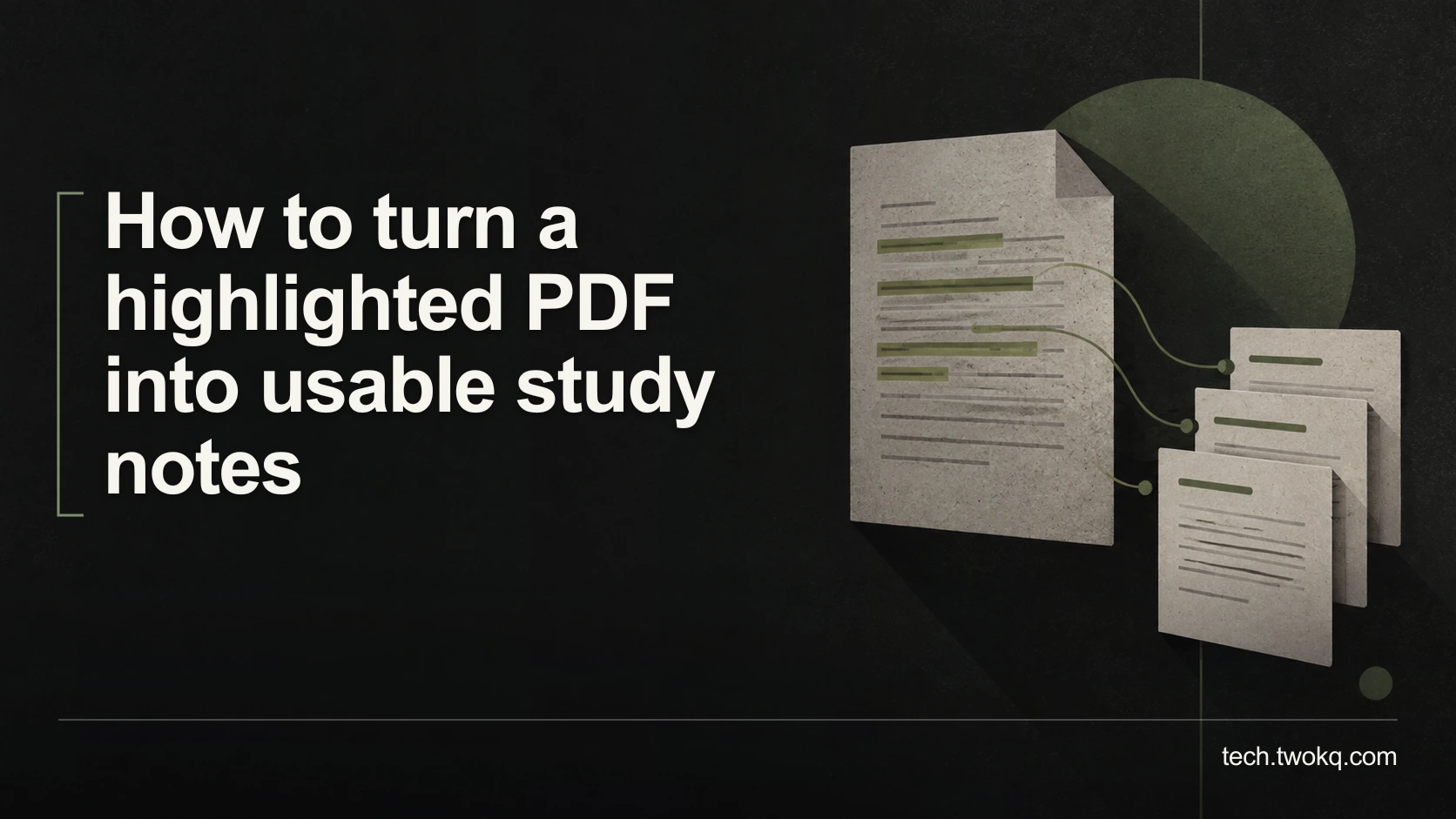
Direct answer: Group your highlights by the question they help answer, write a short answer in your own words, and retain a page reference to the original passage. Then close the PDF and try answering the question before checking the source. Keep highlights that provide evidence or reveal a gap; you do not need to convert every coloured passage into a separate note.
Highlighting records that something caught your attention. It does not tell you whether you can explain the idea, distinguish it from a related concept or use it in a problem. Exporting all highlights into another long document can preserve that uncertainty in a different format.
The useful transformation is from selected wording to an answerable question. You should finish with a small set of notes that support a specific study task, not a second copy of the PDF.
Apply the highlight-to-question conversion
The highlight-to-question conversion is an editorial method for processing an already annotated document. Each retained group of highlights becomes a question, a checked answer and an evidence locator. A fourth field records what you still cannot explain.
This fits within making notes that preserve your own thinking, but it addresses a narrower problem: a PDF full of selections that have not yet become useful study material.
Before beginning, keep the original PDF and its annotations intact. Create a separate note rather than deleting highlights while you work. Confirm that you have the correct edition, and record both the printed page number and the viewer page when they differ. A cover and contents page can make those numbers diverge.
Use an existing PDF reader and document editor. If your PDF is confidential or restricted, stay within its authorised storage and use conditions. You do not need to upload it to an AI service for this process. A manual trial also gives you a baseline for deciding whether automated extraction would help.
Sort highlights by function, not colour alone
Read the sentence before and after each highlight. Identify what the selected passage does: defines a concept, explains a cause, provides an example, states a limitation or supplies evidence. Your original colour may not reliably encode that function.
If several highlights answer the same question, group them. A definition on one page and an exception on another belong together when you need both to give an accurate answer. Keep their separate page references; grouping does not erase their locations.
Some highlights need no study note. A striking phrase may be useful for later quotation but irrelevant to the exam or task. Store it as a sourced quotation if you genuinely need it. Do not turn it into a recall question just to make your conversion count look complete.
Success at this stage means that each group has a reason to exist. If the only reason is “I highlighted it”, return to the learning objective or question you are trying to answer.
Write questions that demand a usable answer
“Caching” is a topic label. “Why can a cached page show information that has already changed?” is a question you can attempt to answer. The question should specify the distinction, mechanism or action the note must support.
Avoid questions that reveal the answer through their wording. A prompt asking “Why does clearing an outdated cache solve an outdated-cache problem?” mostly tests recognition of its own phrasing. Ask what observation would make you suspect the cache and what alternative explanation you would check.
For a process, ask for the steps and the condition that changes their order. For a comparison, ask which difference determines the choice. For a numerical method, include an example that requires the units or denominator to be handled correctly.
Then answer without copying the passage. Reopen the source and correct your explanation. Use quotation marks when exact wording matters, and keep your interpretation visibly separate. If the source does not establish the answer you want, record that as a missing piece rather than filling it with a plausible sentence.
Retain evidence links without making the tool the method
If you already use Zotero's desktop PDF reader, its documentation describes adding annotations to notes with links back to the PDF page. In the library item list, the parent item's context menu provides Add Note from Annotations. For an annotation already placed in a note, Show on Page opens its source context. These are documentation-based instructions, not a report of hands-on testing. Zotero PDF reader and note editor.
Use that export as raw material. Add your questions and explanations around selected passages rather than assuming an exported highlight list is a finished study guide.
In another reader, a manual page reference is enough. Copy the source title, edition and page locator into the note, then verify that it returns you to the correct passage. If copied text has broken words or incorrect symbols, inspect the visible PDF and correct the excerpt before relying on it.
Do not overwrite the original file to improve an export. Keep a working copy for conversions. When an annotation fails to travel with a file, return to the app where it was created and check its documented export behaviour before removing anything.
Convert 36 highlights without making 36 notes
Imagine a student preparing a technical module with 36 highlights in one reading. The counts and timings here are illustrative assumptions, not observed learning results.
The student groups 24 highlights into eight explanation questions, eight highlights into four comparison questions, and four highlights into two questions about exceptions. The totals are 24 + 8 + 4 = 36 highlights and 8 + 4 + 2 = 14 questions.
Suppose grouping takes 12 minutes. Writing and checking each answer takes three minutes: 14 × 3 = 42 minutes. The initial conversion therefore takes 12 + 42 = 54 minutes.
For a first review, allow one minute to attempt each question and two minutes to investigate each failed answer. If five answers need work, the review takes 14 × 1 + 5 × 2 = 24 minutes. Total initial effort is 54 + 24 = 78 minutes.
The useful result is not “36 highlights processed”. It is nine answers the student can currently explain and five gaps with precise source anchors. Even that does not prove durable learning: a later attempt may reveal different weaknesses. It tells the student where to spend the next session.
If the reading is only background for one small decision, 78 minutes may be disproportionate. My recommendation is to convert only the questions you expect to use. A comprehensive conversion is justified when the whole document matters, not because a tool can generate it quickly.
Inspect the answer, not the appearance of the note
Use a plain question followed by a hidden or separately placed answer. Attempt the question without looking, then check whether you included the condition, evidence or exception that makes the answer accurate. Mark a partial answer as partial rather than granting yourself credit for recognising the topic.
If you consistently fail a question, check whether it is too broad. “Explain networking” is not a manageable prompt. Split it around the particular decision or mechanism you need, while preserving links between related notes.
If the answer remains unclear after rereading, consult another appropriate explanation or ask a tutor a bounded question. Do not create increasingly polished summaries of a passage you do not understand.
Process one reading in your next study session
- Spend five minutes choosing the learning task and checking the PDF edition.
- Use 15 minutes to group the most relevant highlights into a small number of questions.
- Spend 20 minutes writing and source-checking their answers.
- Finish with ten minutes attempting the questions without the PDF and marking unresolved points.
Stop adding notes when the remaining highlights do not serve the task. Put the hardest unresolved question at the start of your next session, alongside the passage that needs explanation. Keep the original annotations until you have confirmed that the new notes preserve what you need.
Related guides
Frequently asked questions
Should I delete highlights after converting them?
Not immediately. Retain the annotated original until you have checked that the new notes preserve the necessary context and references. Deleting highlights too early removes a useful way to inspect how you interpreted the passage. You can later reduce visual clutter in a working copy if your reader supports an appropriate reversible approach. The exception is a retention or confidentiality requirement that governs the material; follow that requirement rather than keeping copies indefinitely. The aim is recoverable study work, not permanent duplication of every file you have ever read.
What if I have highlighted almost every paragraph?
Return to the learning question and select only the passages needed to answer it. Extensive highlighting makes colour a weak selection signal, so treat the document as a reading source rather than assuming every mark deserves a note. Start with headings, definitions and the argument's important conditions, then create a few questions that test the required understanding. You may need to reread a section to decide what matters. Avoid exporting the entire collection as a shortcut, because it can reproduce the same selection problem. For a document that genuinely requires detailed mastery, process it in separate, bounded sessions.
Can AI generate the study questions for me?
It can propose questions from material you are permitted to submit, but you must check that each question is answerable from the source and relevant to your task. Inspect the supplied answers for missing conditions, invented examples presented as facts, and inaccurate page references. Start with a small section rather than uploading a confidential document by default. A useful prompt asks for evidence locators and unresolved points, not just a large number of questions. If reviewing the generated set takes longer than writing a few good prompts yourself, keep the manual method. Quantity is not a useful substitute for coverage.
How do I handle a PDF with no selectable text?
Read the visible page and make a manual note with a precise page locator. That is sufficient for a small amount of material. Optical character recognition, which converts an image of text into machine-readable characters, may help with a larger document, but its output still needs checking against the page. Pay special attention to formulas, names, tables and similar-looking characters. Before using an online conversion service, establish whether you may upload the document and how it will be handled. Do not treat a failed copy operation as permission to bypass access restrictions or remove protections.
Should each question have only one sentence in its answer?
No. Use enough detail to demonstrate the required understanding, including a condition or example when it changes the answer. A definition may fit in one sentence; a process or comparison may need a short paragraph or a sequence. Keep the question bounded so the answer does not become an essay you never revisit. If several independent ideas are packed into one answer, split the question and link the parts. The useful measure is whether you can check the answer reliably, not whether it conforms to an arbitrary sentence limit or looks attractive in a note-taking app.
How can I tell whether the new notes are better than the highlights?
Use them for the task they are meant to support. Try explaining a concept, answering a practice problem or locating the evidence for a claim without reopening the whole document. Record where the notes fail: a missing condition, an unclear question, or a page reference that does not lead to the right passage. Correct those failures and try again later. This is a practical usefulness check, not a controlled experiment proving that your method improves memory. If you still need to reread everything, the notes may be too vague or the underlying material may need further teaching rather than more formatting.
Sources and verification
- Zotero PDF reader and note editor documentation, checked 11 September 2026 for annotation-to-note controls and page-context links. No hands-on product testing is claimed.
- The supplied parent was read locally; its public route could not be retrieved. The conversion method and study timings are editorial assumptions, not reported learning research.
This article is practical guidance. Apply it in proportion to your tools, evidence, risks, and responsibilities.