Check vertical video crops against the action viewers must see, calculate how much width is lost, and choose reframing or a full-frame layout when cropping fails.
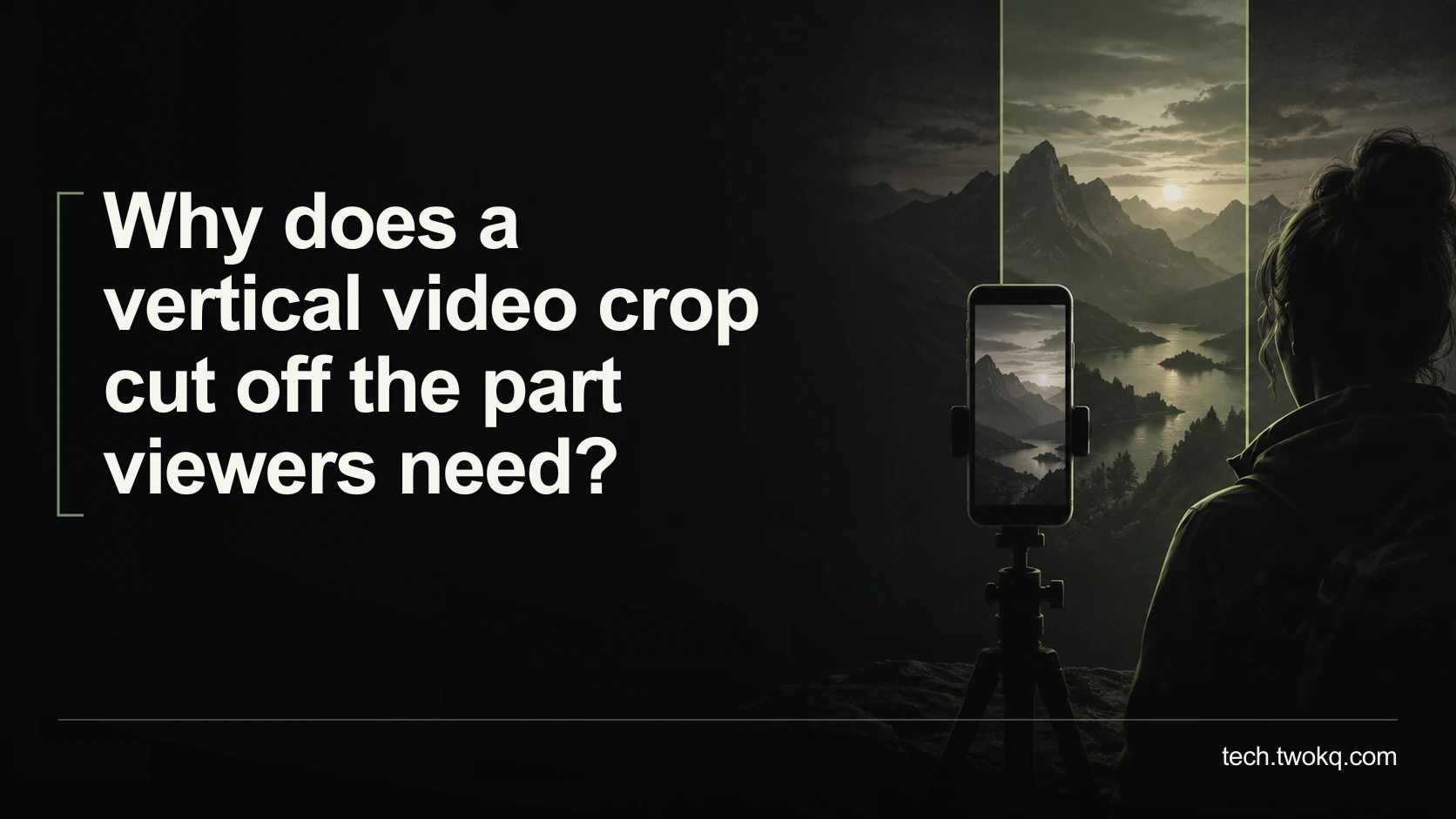
Direct answer: A vertical crop keeps only a narrow part of a horizontal frame, so centring a face can remove the hands, controls or comparison the viewer actually needs. Check each shot against its essential action, then reposition the crop, use a different shot or preserve the full frame within the vertical layout. Do not fill the screen at the cost of making the explanation incomplete.
The problem is often a mismatch between visual priority and viewer purpose. A presenter may be the most obvious subject, while the important information sits on a device beside them. A crop can look polished and still make the tutorial impossible to follow.
Treat reframing as an editorial decision. It changes what evidence the audience can see, not merely the shape of the file.
Run the action-safe reframing check
The action-safe reframing check is an editorial method that identifies the information each shot must preserve before deciding how to fit it into the destination frame. It is not a fixed safe-area standard or a promise that automatic cropping will find the right subject.
Begin with an unchanged source and a duplicate editing sequence or project. Record the intended output dimensions, destination and likely viewing device. Keep the horizontal master available so a rejected crop can be reversed without rebuilding the edit.
Adobe's documentation distinguishes frame aspect ratio, the relationship between a frame's width and height, from pixel aspect ratio. For the calculations here, assume square pixels and work with frame dimensions. Do not stretch one dimension independently to make a mismatched frame fit. Adobe explanation of aspect ratios.
This is one review within a practical AI video workflow: the final format must preserve the meaning of the footage, whether the initial reframing was manual or automated.
Identify the action before choosing the centre
Watch each shot and write one sentence describing what the viewer must learn from it. “See which socket accepts the cable” gives you a clear framing requirement. “Keep the presenter visible” may be secondary for that particular moment.
Mark where the essential detail appears at the start, middle and end of the shot. Hands, tools and on-screen controls can move. A crop that works on the opening frame may fail when the demonstration reaches its result.
For comparisons, identify whether both items must be visible at once. Cropping from one to the other may lose the relationship the narration is describing. If simultaneous visibility matters, preserving the wider frame or using an appropriately designed split layout can be better than chasing each item separately.
Do not infer that off-screen information is unimportant because a crop excludes it. Return to the script and the viewer's task. The crop is the proposal being tested, not the authority defining the lesson.
Calculate what a 16:9 source loses
Consider a 1,920 × 1,080 source reframed to 9:16 while retaining the full source height. These dimensions are an illustrative geometry example, not a recommendation for every export.
The source-equivalent width of the vertical window is 1,080 × 9 ÷ 16 = 607.5 pixels. The fractional value describes the geometric crop before resampling; a real output uses an appropriate integer pixel grid.
The retained width is 607.5 ÷ 1,920 = 0.31640625, approximately 31.6 per cent of the original width. About 68.4 per cent lies outside that window. This is a calculation of horizontal coverage, not a percentage score for image quality or useful information.
If the output is 1,080 × 1,920, the retained source height is enlarged by 1,920 ÷ 1,080, approximately 1.78. That scaling does not bring back the excluded left and right sides. A higher output resolution cannot restore content removed by the crop.
The consequence is practical: a presenter, laptop and separate device spread across the original frame may not all fit. No amount of careful centring changes that geometry. You must decide which information can be separated and which needs a wider presentation.
Choose a layout by the information it preserves
| Approach | Appropriate when | Main trade-off |
|---|---|---|
| Fixed vertical crop | The essential action stays within one narrow region | Other context is excluded |
| Moving reframe | The important action moves and can be followed clearly | Movement can distract or miss a second relevant area |
| Full horizontal frame inside vertical canvas | Simultaneous width is necessary | The source appears smaller on a phone |
| Purpose-made alternative shot or layout | The original cannot show the task clearly in vertical form | Requires additional production or design work |
My recommendation is to preserve the full frame when cropping removes information necessary to follow the instruction, even if that leaves unused space around it. A full-screen crop is preferable when the action genuinely fits and remains legible.
Do not fill empty space with duplicate blurred footage if it competes with the demonstration. A quiet background, clear heading or concise explanatory graphic may be more useful. Keep supplementary design separate from evidence so viewers understand which part shows the actual action.
Test motion and interfaces across the shot
Play the whole reframed sequence, not only selected stills. Check every transition where the essential action changes location. If you animate the crop, make sure it arrives before the viewer needs the detail and does not create a misleading impression that the subject moved within the original scene.
Inspect screen demonstrations at the size a viewer will see. Keeping the entire desktop visible may preserve information but make labels unreadable. Consider a closer source recording or separate detail shots rather than assuming that an uncropped image is automatically useful.
Check captions and destination interface overlays in the actual presentation context. Their positions vary, so do not apply an invented universal margin. The important control or instruction should remain visible when the player and caption elements appear.
Keep automatic suggestions provisional
If an editor offers automatic reframing, use its result as a draft and inspect the same action requirements. A face-centred result can be suitable for a talking head and unsuitable for a hands-on demonstration. Do not assume that the system understands the lesson because it tracks a visible subject.
Use the specific editor's current documentation for adjustments rather than applying a remembered menu path from another version. If the crop repeatedly chooses the wrong region, a manual fixed view or a different layout may require less review than trying to persuade automation to infer your intent.
Check the exported file before accepting it
Open the final export on the intended device or a representative display. Follow the instructions as a viewer would: identify the control, observe the action and verify the result. Note any point where you need to infer something that was visible in the original but is now missing.
Keep a list of affected shot times and the chosen remedy. Do not overwrite the horizontal master or delete alternative footage until the approved vertical version has passed the required review and retention conditions.
Repair the three worst shots first
- Spend ten minutes identifying the essential action in three problematic shots and locating it throughout each one.
- Use 15 minutes to compare a crop with a full-frame or alternative layout.
- Spend ten minutes checking motion, captions and the actual device presentation.
- Choose the version that lets the viewer complete the task, then apply the same reasoning to the remaining shots.
Stop trying to force a crop when simultaneous information cannot fit legibly. Re-record the necessary detail, restructure the explanation or preserve a wider frame. Screen coverage is not a useful success metric when comprehension is lost.
Related guides
Frequently asked questions
Is it unprofessional to leave space above and below a horizontal video?
No. A deliberate layout that preserves necessary information can be more professional than a full-screen crop that hides the demonstration. Use the space quietly and make the main content legible on the intended device. A title or small explanatory note may help, but decorative repetition can compete with the footage. The exception is a shot whose important action comfortably fits the vertical frame; cropping may then produce a clearer result. Judge the layout by whether the viewer can understand and follow the material, not by a rule that every pixel must contain moving video.
Can higher resolution fix a crop that loses important content?
No. More output pixels cannot recover parts of the scene excluded by the crop. A higher-resolution source may give you more detail within a retained region, but you still need a composition that includes the relevant action. Check the difference between enlarging the crop and widening it. If the instruction requires two areas visible together, use a layout or source shot that preserves both. Do not confuse sharpness with completeness. A perfectly sharp image of the wrong portion of the scene remains a poor instructional image, even when the exported file has impressive dimensions.
Should I always keep the presenter's face centred?
No. Centre the information that serves the viewer's current task. A face may be the priority during a direct explanation, while hands, a device or an on-screen result matter more during a demonstration. The priority can change within a sequence, so check the script and the action rather than using one framing rule throughout. If the presenter and demonstration must remain visible together, consider a wider layout or a purpose-made composition. Do not make the speaker's face disappear in a confusing way, but do not preserve it at the expense of the step the viewer needs to see.
How do I decide whether to animate the crop?
Animate only when movement helps the viewer follow the essential action without losing context. Test whether a fixed crop or a cut to a better shot would be clearer. A moving frame can become distracting if it repeatedly chases small gestures or arrives after the important event. Watch the result at normal speed and on the target screen, including captions. If two separate areas need simultaneous attention, movement between them may not solve the problem. Use the simplest framing that preserves the task, and keep the original sequence so you can reverse the experiment if it makes the explanation harder to follow.
Can I stretch the video to fit the vertical frame instead?
Do not distort the image merely to avoid cropping or empty space. Stretching width and height by different amounts changes proportions and can misrepresent objects or on-screen interfaces. Use proportional scaling with a suitable crop, a full-frame layout or another composition. There may be deliberate artistic uses of distortion, but they are not a sensible default for factual demonstrations. If the source looks distorted before you edit, check its aspect-ratio interpretation and documentation rather than compensating by eye. The aim is an accurate representation of the action, not simply filling the destination rectangle.
What if the destination platform covers an important control with its interface?
Test the video in the intended presentation context and reposition or redesign the affected shot so the control remains visible. Do not assume that a margin from another platform or device applies universally. You may need a closer demonstration, a separate detail view or a layout that leaves room for interface elements and captions. Keep the instructional sequence understandable when those elements appear. If you cannot test the exact destination, state that limitation internally and use a conservative layout pending verification. A clean export in the editor does not prove that every viewer will see the same unobstructed frame.
Sources and verification
- Adobe: aspect ratios in video editing, consulted 11 September 2026 for frame and pixel aspect-ratio distinctions. No automatic-reframing product performance is claimed.
- The parent was read in supplied local files because its public route was unavailable. The action-safe check and crop arithmetic are editorial reasoning under stated square-pixel assumptions.
This article is practical guidance. Apply it in proportion to your tools, evidence, risks, and responsibilities.